Clay has added something new called Sequencer.
It’s a built-in feature that lets you create and send automated email sequences directly inside Clay.
You don’t need to switch between tools anymore. You can pull your leads, write messages, schedule sends, and track replies, all in one place.
There are two simple ways to start: from the Campaigns tab, where you see all your running or inactive campaigns, or from a table of leads you already have.
Both take just a few clicks.
This guide walks you through every step, setting up your campaign, writing emails with Clay’s AI, sending them, and checking your results.
By the end, you’ll know exactly how to use the Sequencer to run your outreach from start to finish inside Clay.
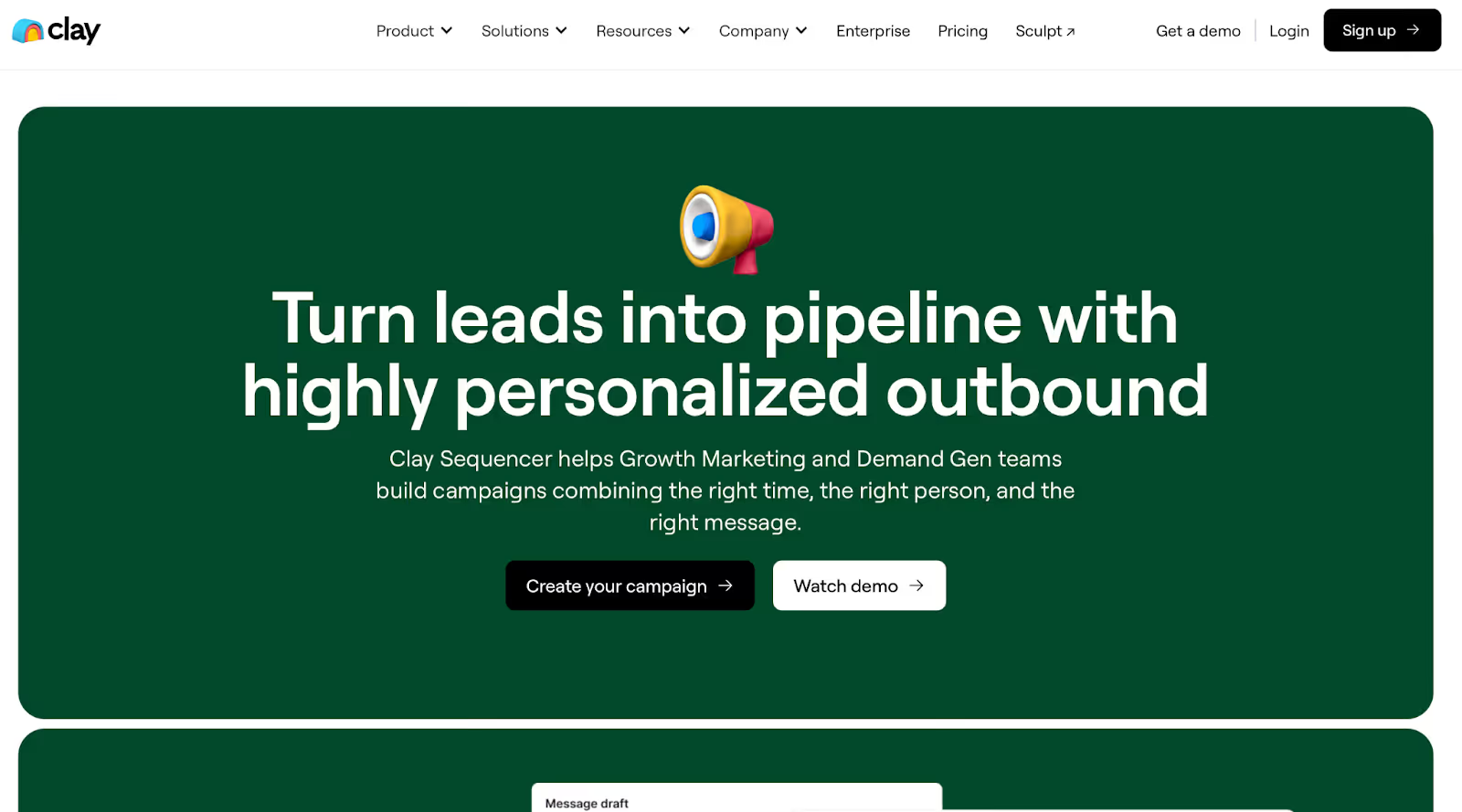
The Clay Sequencer is a new feature inside Clay that lets you create and send automated outreach campaigns.
You can build your campaign, write your messages, and send them, all without leaving Clay.
It connects directly with your lead tables.
That means when you update or enrich data in your main table, it automatically syncs with your campaign.
You don’t have to copy or move anything.
You can start from the Campaigns tab to see all your active or paused campaigns, or launch a new one from an existing table of leads.
Once your leads are added, Clay automatically links their data, so your messages always stay up to date.
The Sequencer also gives you full control, you can draft emails using AI, set follow-ups with delays, and manage replies in one place.
It’s simple, fast, and built to keep your outreach organized from start to finish.
Now, let’s go step by step and see how the Sequencer actually works.
Getting started with Clay Sequencer is simple. There are two ways to do it.
The first way is through the Campaigns tab.
Here, you can see all your campaigns in one view, which ones are running and which ones are inactive. This is the easiest place to start.
The second way is from a table of leads you already have.
You can go to the Actions tab, create a new campaign, or launch the Sequencer directly from there.
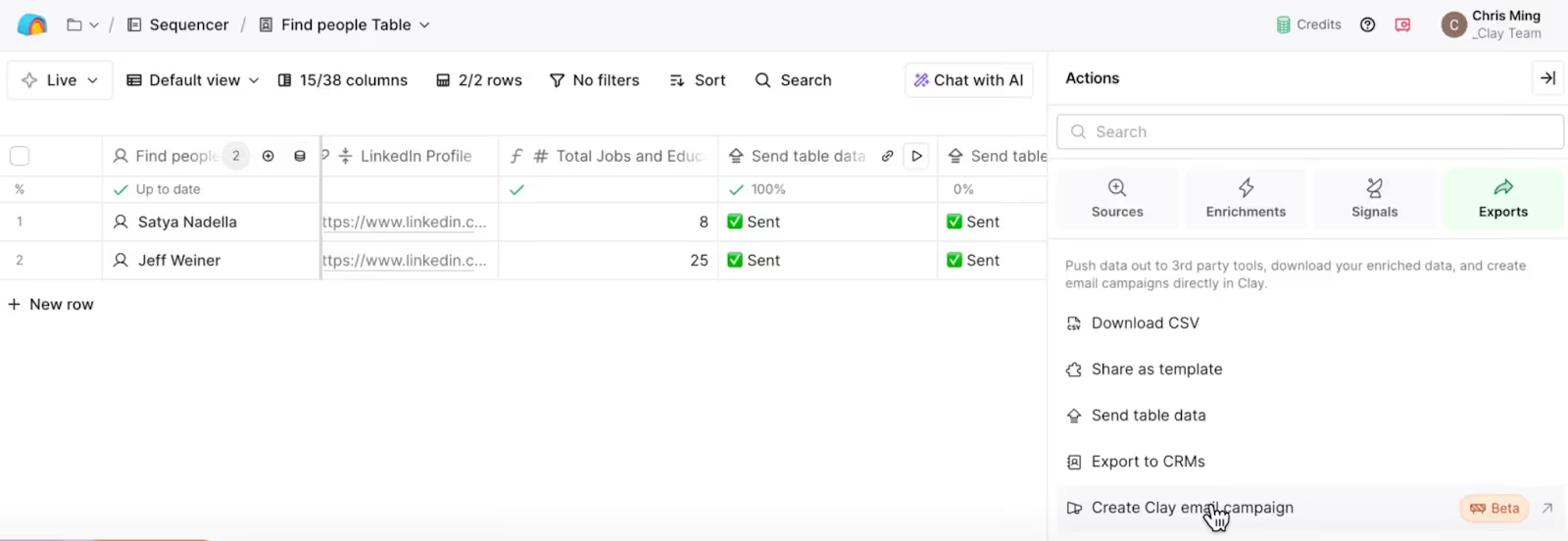
Once you click New Campaign, Clay gives you a ready-made template.
It’s a basic setup with three main steps.
Step 1: Sourcing Leads
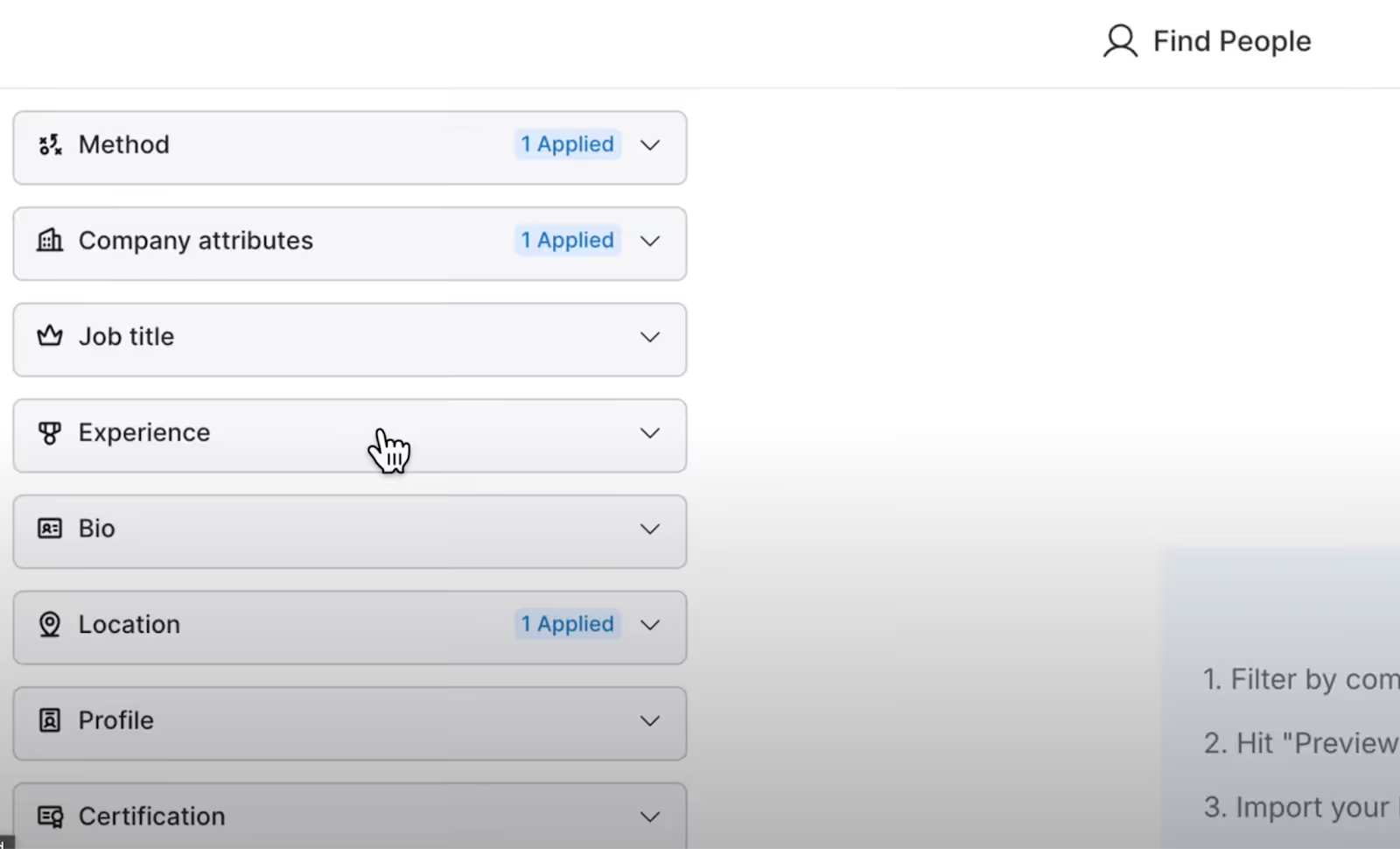
You start by pulling in leads from your target market.
Once your leads are added, Clay automatically moves you to the next step.
Step 2: The Contacts Table
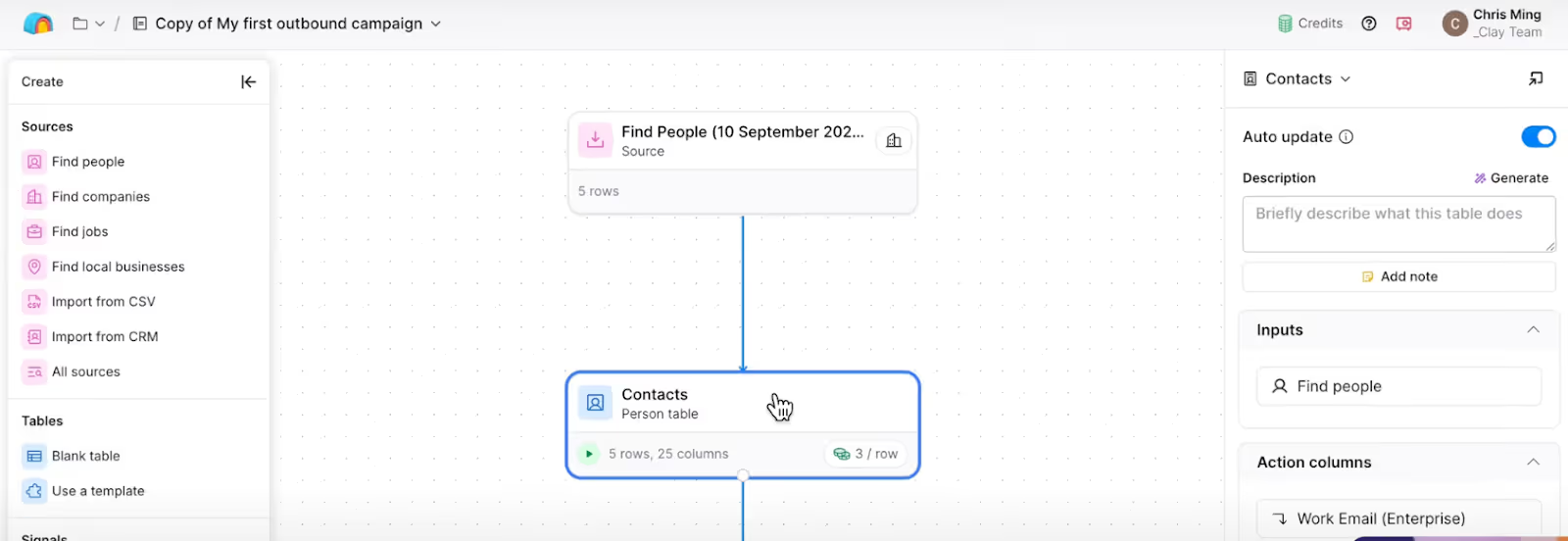
Your leads appear in a contacts table with their data already synced.
The key action here is Send Table Data, this keeps your lead data updated between your main table and your campaign.
If you add new columns or enrich data later, everything automatically syncs to your campaign.
Step 3: The Campaign Interface
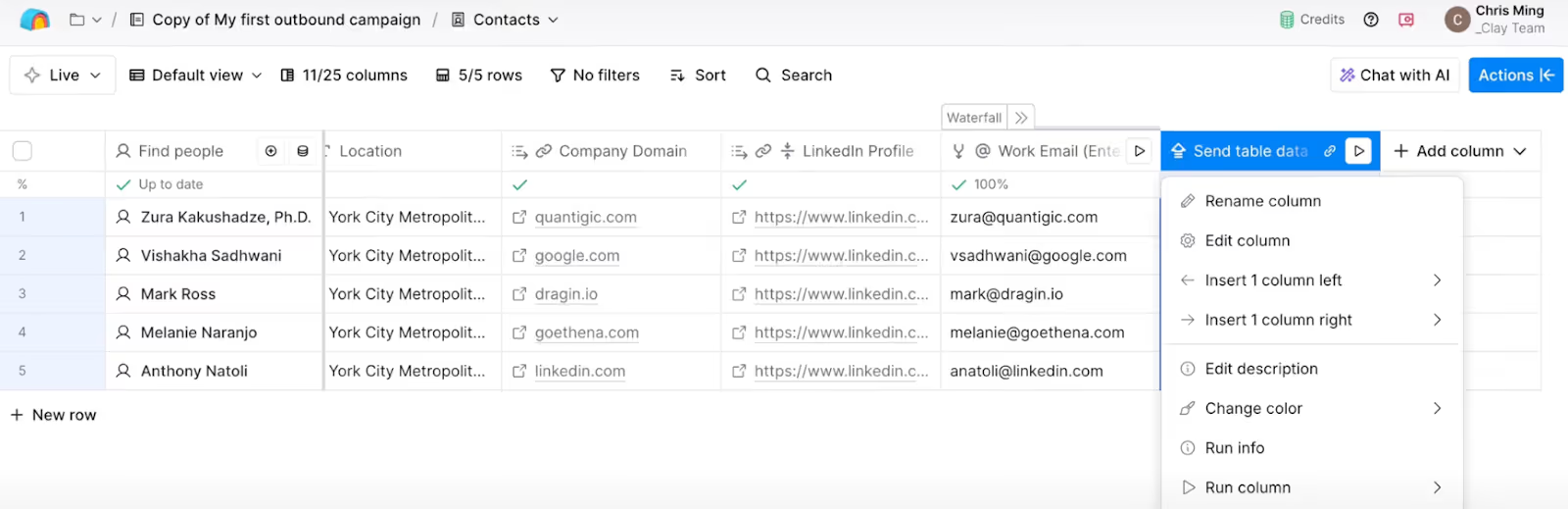
After syncing, you’ll see your campaign table.
It looks similar to your regular Clay tables, but now all your lead data is connected to your campaign.
Any edits you make here will sync automatically.
Before sending anything, you’ll need to check your campaign settings.
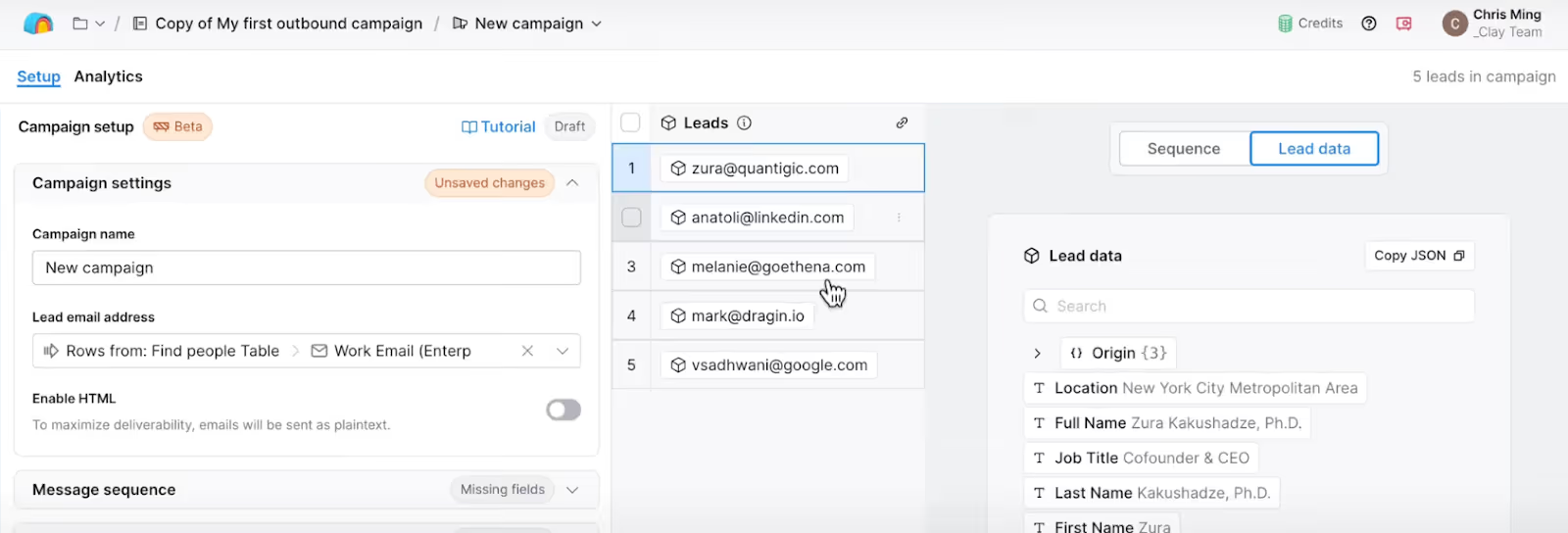
Give your campaign a name that helps you track it easily, and make sure the right email address column is selected.
Clay tries to auto-detect it, but it’s always good to double-check because that’s where your emails will be sent from.
There’s also an HTML option, but it’s better to keep it off for cold outreach. Plain-text emails usually perform better and stay out of spam.
Clay doesn’t have a fixed monthly price for its Sequencer.
Instead, everything inside Clay, including Sequencer, runs on credits.
You buy credits once, and they’re used for things like sending emails, generating AI snippets, or enriching data.
Here’s the simple breakdown:
Let’s take a quick example:
If you send 1,000 emails in a campaign and use AI personalization for each one, the total cost would be:
That’s 600 credits in total for your full campaign.
Now, what you actually pay depends on your plan and cost per credit:
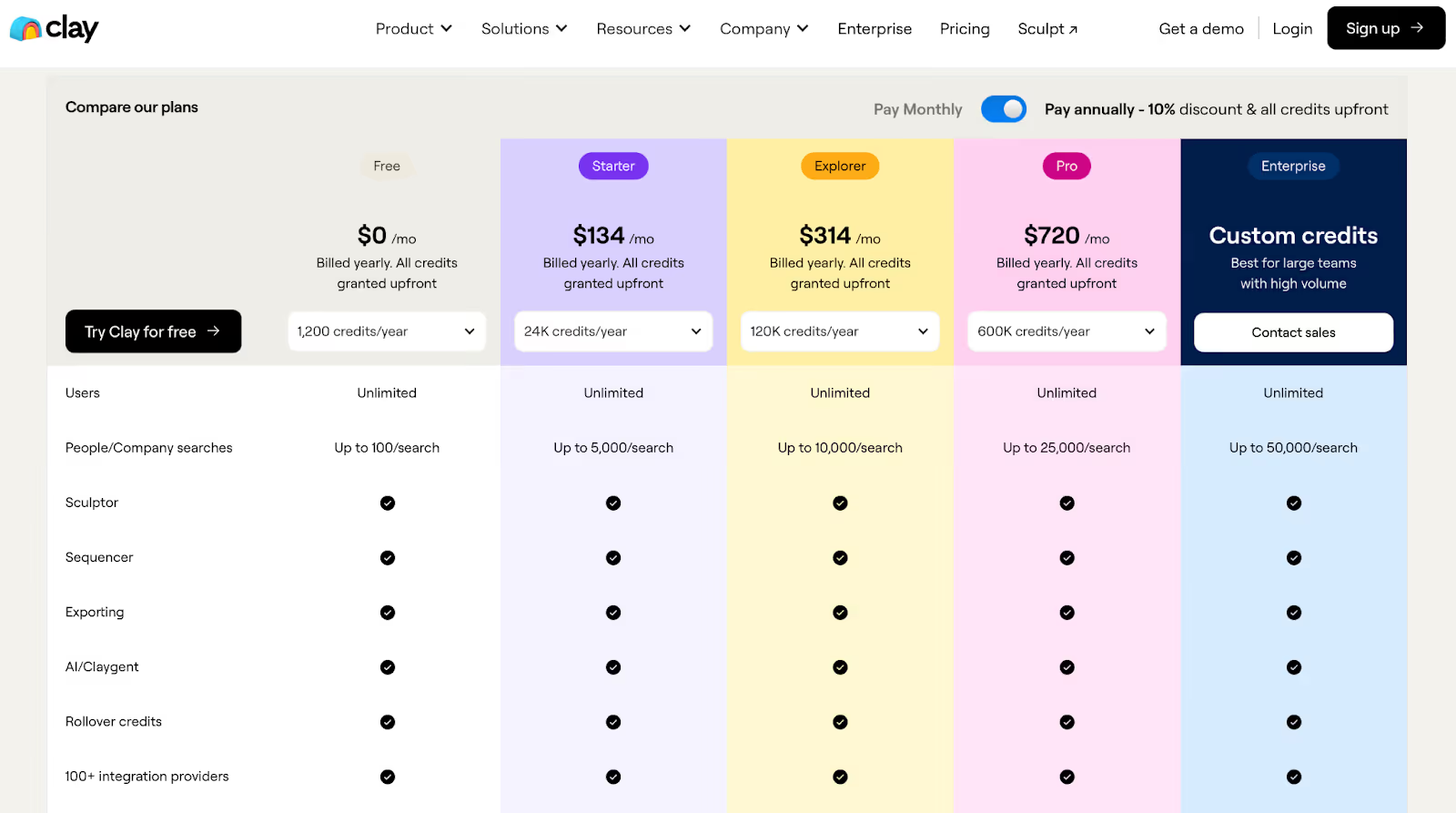
Each higher plan gives you cheaper credit rates, so you pay less per email as you scale.
Clay’s pricing is flexible, there’s no subscription lock-in, and you can buy more credits anytime.
It’s ideal if you’re testing new campaigns or scaling gradually, since you only pay for what you use.
The Clay Sequencer comes with a set of features that make email outreach smooth and simple from start to finish.
Everything you need to plan, send, and track your campaigns is built right into Clay.
You can start a campaign from the Campaigns tab or from a table of leads.
Clay gives you a ready-to-use template with three quick steps, sourcing leads, syncing contacts, and launching your campaign.
Your lead data stays connected through the Send Table Data action, so any new information or enrichment you add automatically updates your campaign.
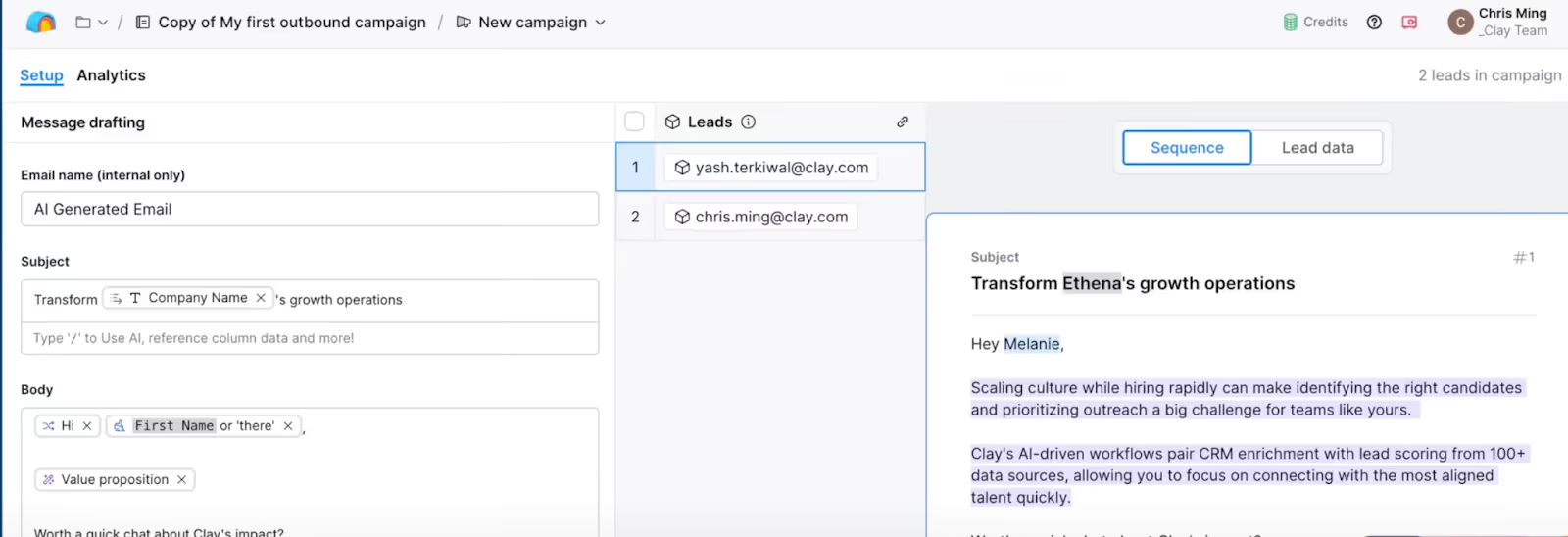
Clay’s AI helps you write your emails using data from your website and your ideal customer profile.
You can use AI snippets to personalize each message with details like a lead’s name, job title, or company info.
You can preview these snippets in real time and adjust them before sending.
To make every email sound natural, Clay includes tools like:
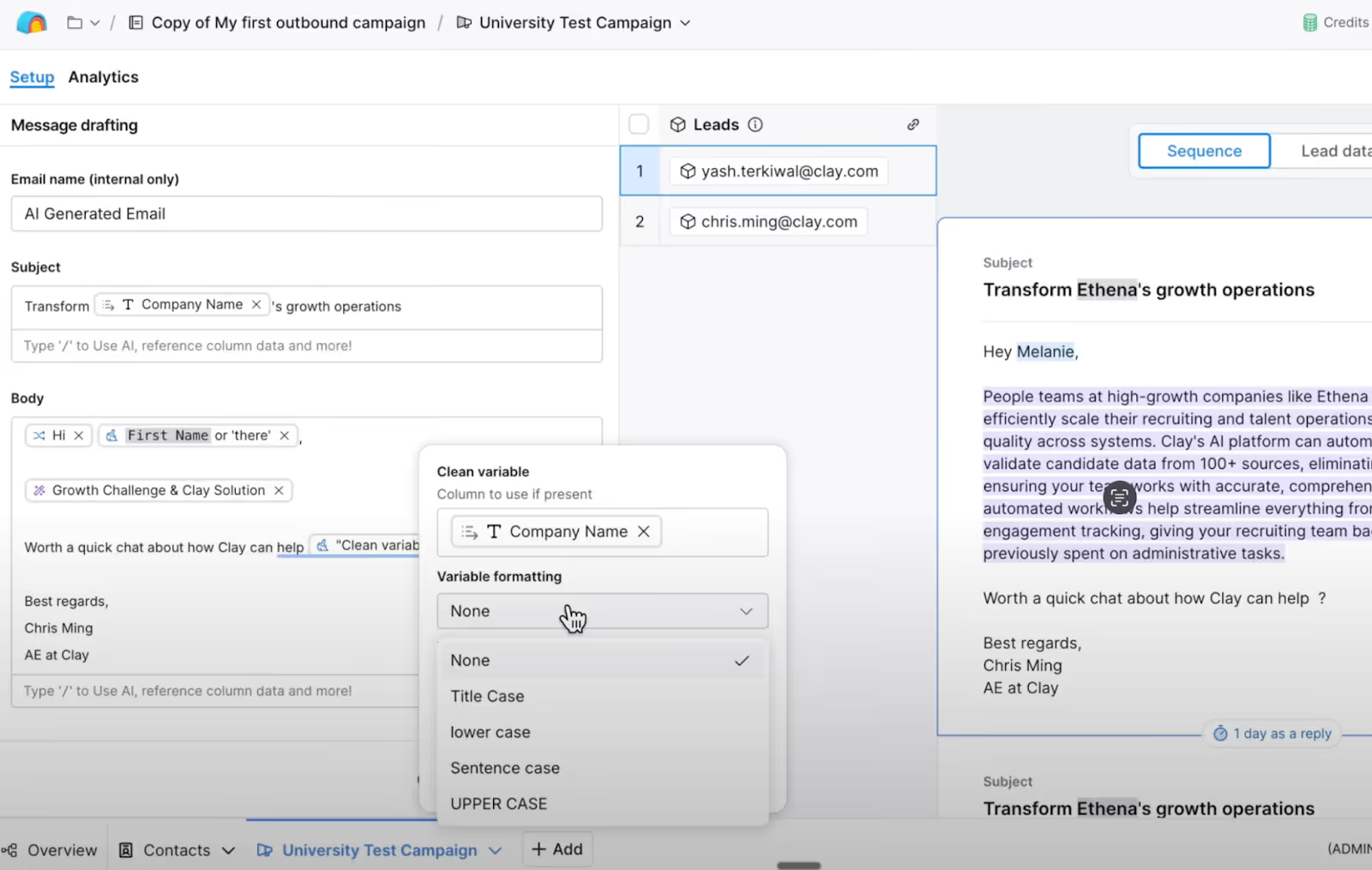
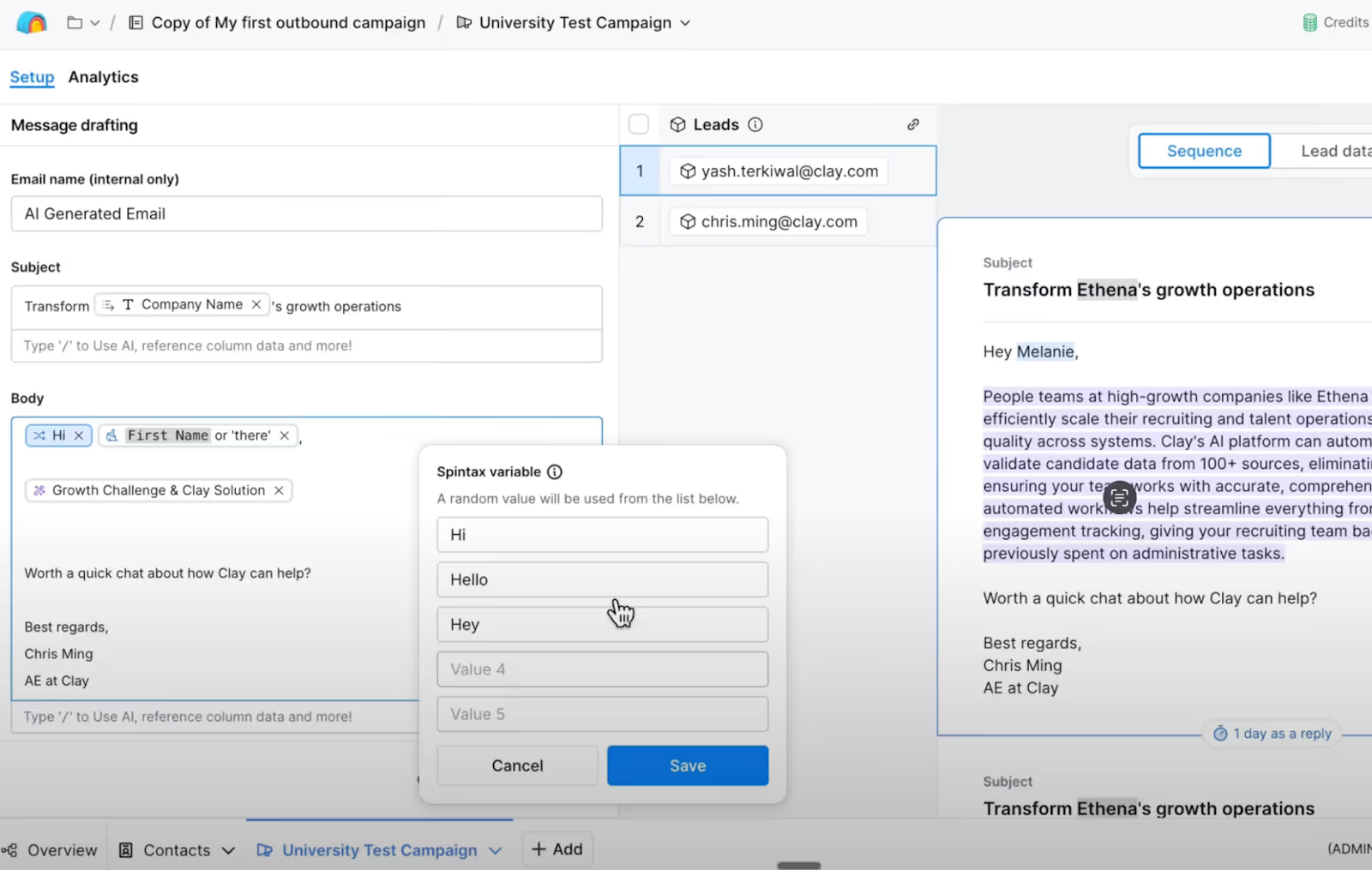
You can send emails through SMTP or Google OAuth. For most users, Google OAuth is easier and safer, especially if you use Workspace.
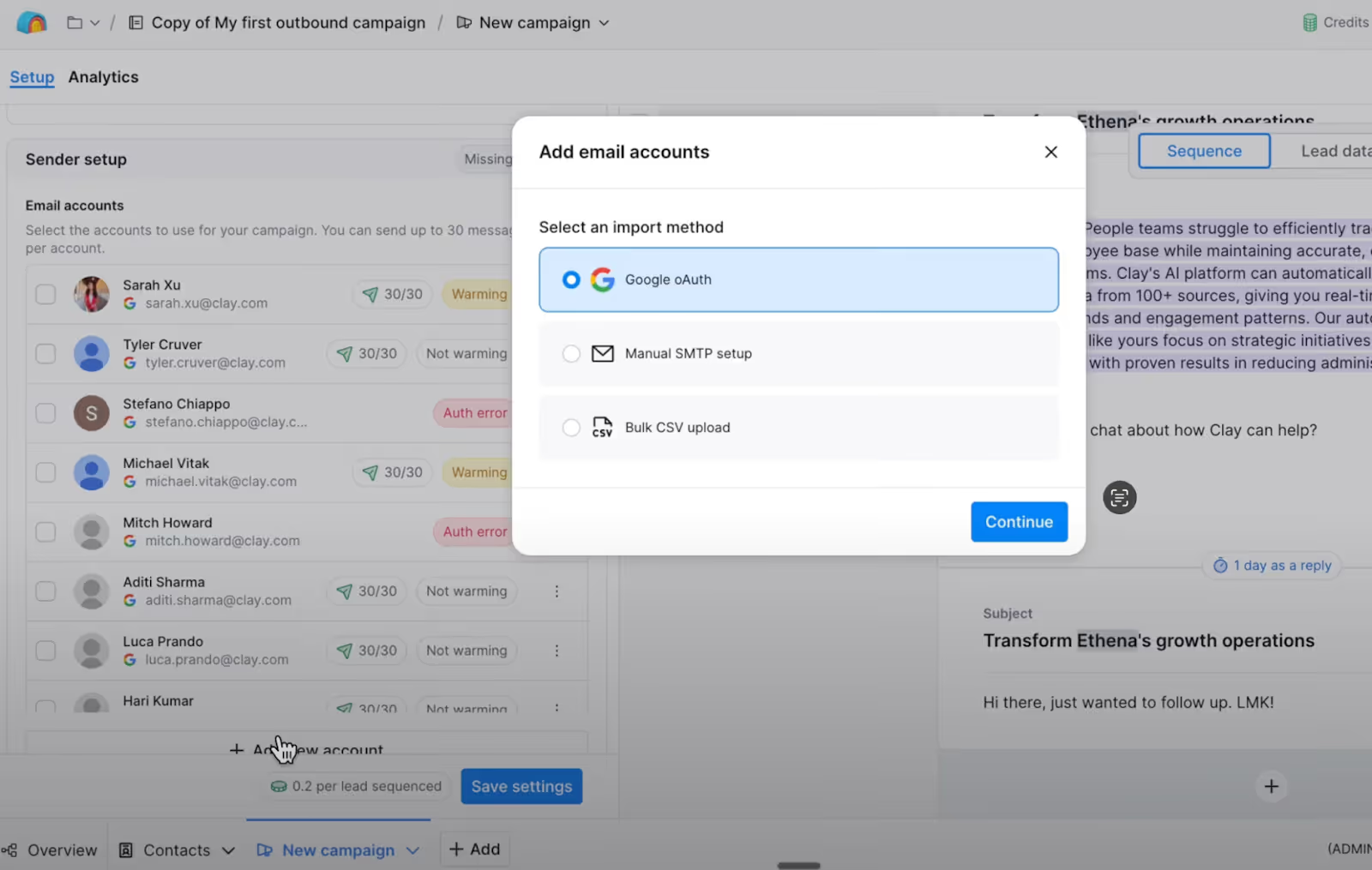
You can also set your own sending schedule, choose business hours, add gaps between sends, and even delay campaign starts.
Clay uses credits for every campaign you send. Each email costs 0.1 credit, and every AI snippet costs 0.5 credit.
Once you launch, your core campaign settings and snippets are locked, but you can pause to edit messages or end a campaign anytime.
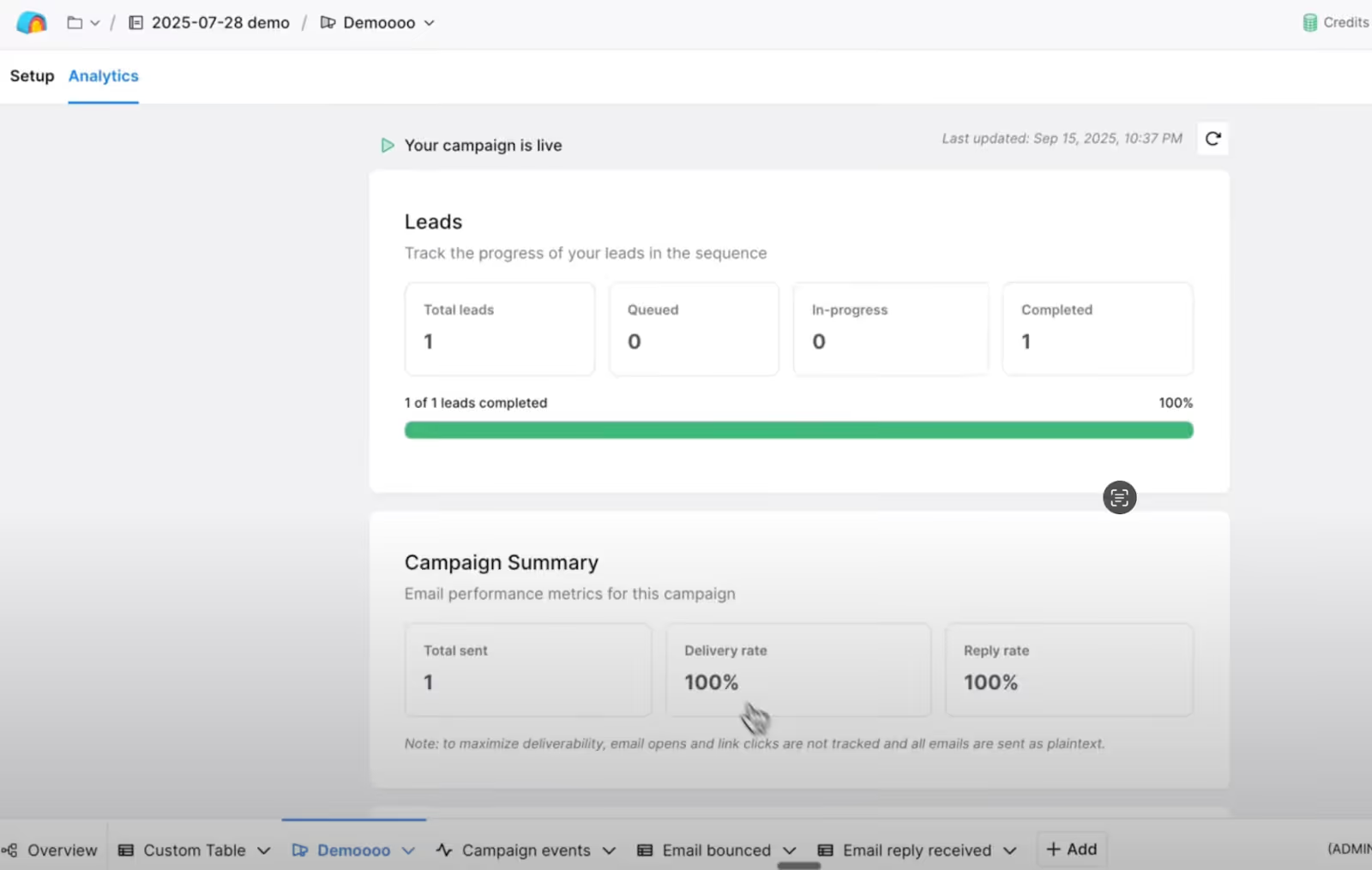
After launching, you can track performance in the Analytics tab.
Every action, from emails sent to replies received, is logged in the Campaign Events table.
Clay can also generate AI replies or handle unsubscribe requests automatically.
You can keep human control by reviewing replies through Slack approvals before they’re sent.
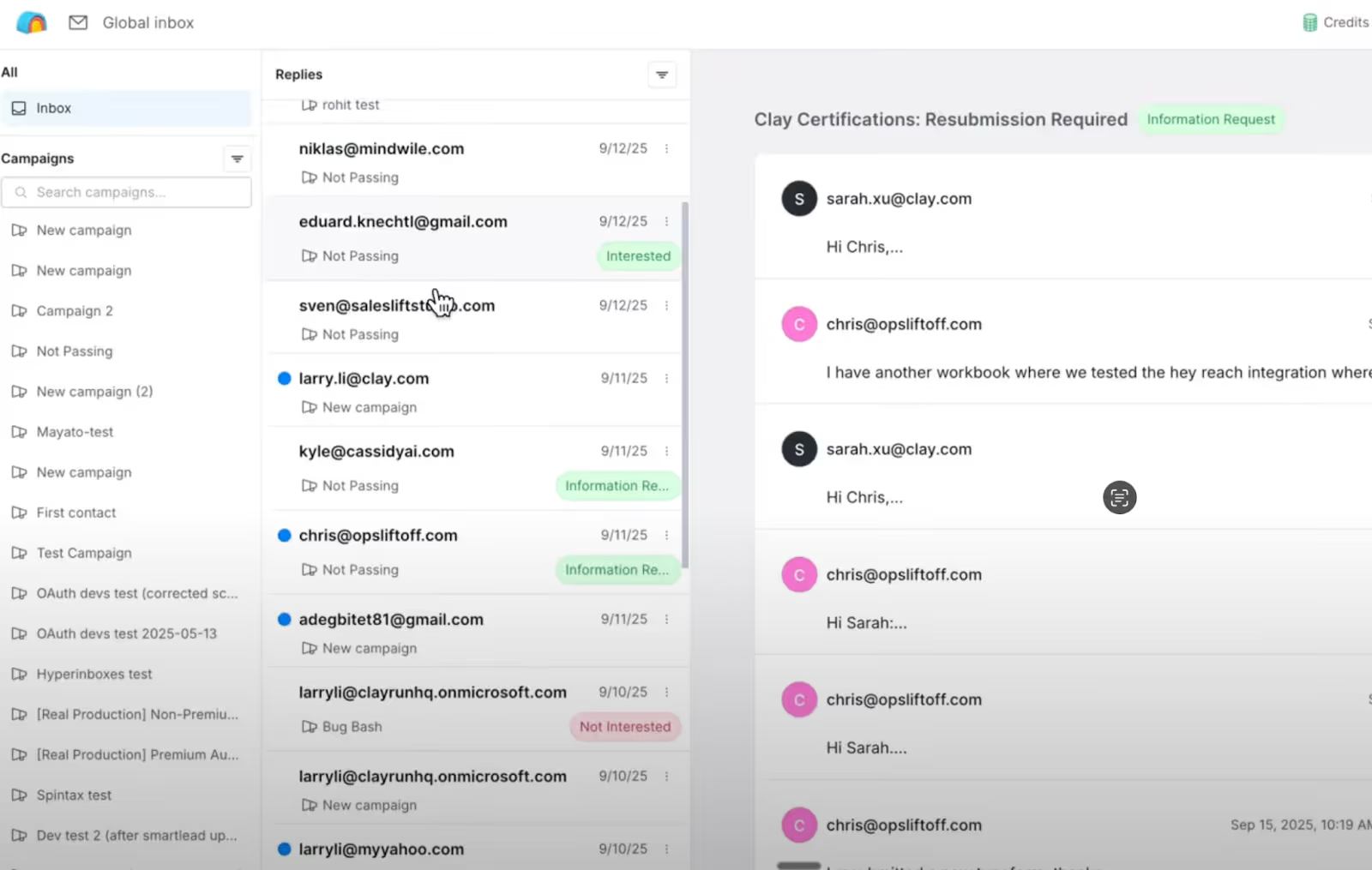
All your campaign replies appear in one Global Inbox.
It’s an easy way to manage responses from every campaign in one view, keep conversations organized, and stay fully in control of what’s sent out.
The Clay Sequencer is a great addition for running automated outreach inside Clay.
But it still comes with a few limits worth knowing before you rely on it fully.
At the moment, Sequencer works only for email campaigns.
It doesn’t support multi-channel outreach like LinkedIn or SMS.
If you usually reach prospects on more than one platform, this can feel limiting.
Sequencer depends on Clay’s data tables and enrichment flow.
If you’re not already using Clay for lead enrichment or intent signals, you’ll need to prepare that first.
Clay includes built-in warm-up and domain rotation, but it doesn’t go deep into deliverability.
You won’t find advanced options like inbox rotation, IP management, or detailed sender health tracking yet.
Once a campaign is live, your main settings and AI snippets get locked.
You can pause or stop a campaign to make changes, but you can’t edit them while it’s running.
These limitations don’t take away from what Clay Sequencer does well, it’s still great for managing personalized email outreach right inside Clay.
But they do show where the feature stops for now, especially if your workflow includes multiple channels or advanced deliverability handling.
If you’re interested in sequencing but want to go beyond email, there are tools that already offer that flexibility.
One of them is Salesforge, a platform that also includes sequencing but supports multi-channel outreach like email and LinkedIn.
In Salesforge, you can build and automate sequences across both email and LinkedIn.
You can connect unlimited mailboxes, manage campaigns in one dashboard, and see all replies together using Primebox™, its unified inbox.
Salesforge also includes:
Pricing is simple:
For full automation, there’s Agent Frank, Salesforge’s AI SDR.
He can find leads, send emails, follow up, and even book meetings, all on autopilot.
So while the Clay Sequencer is ideal for email automation inside Clay, Salesforge lets you do the same and more, across channels, at scale, and with built-in infrastructure.
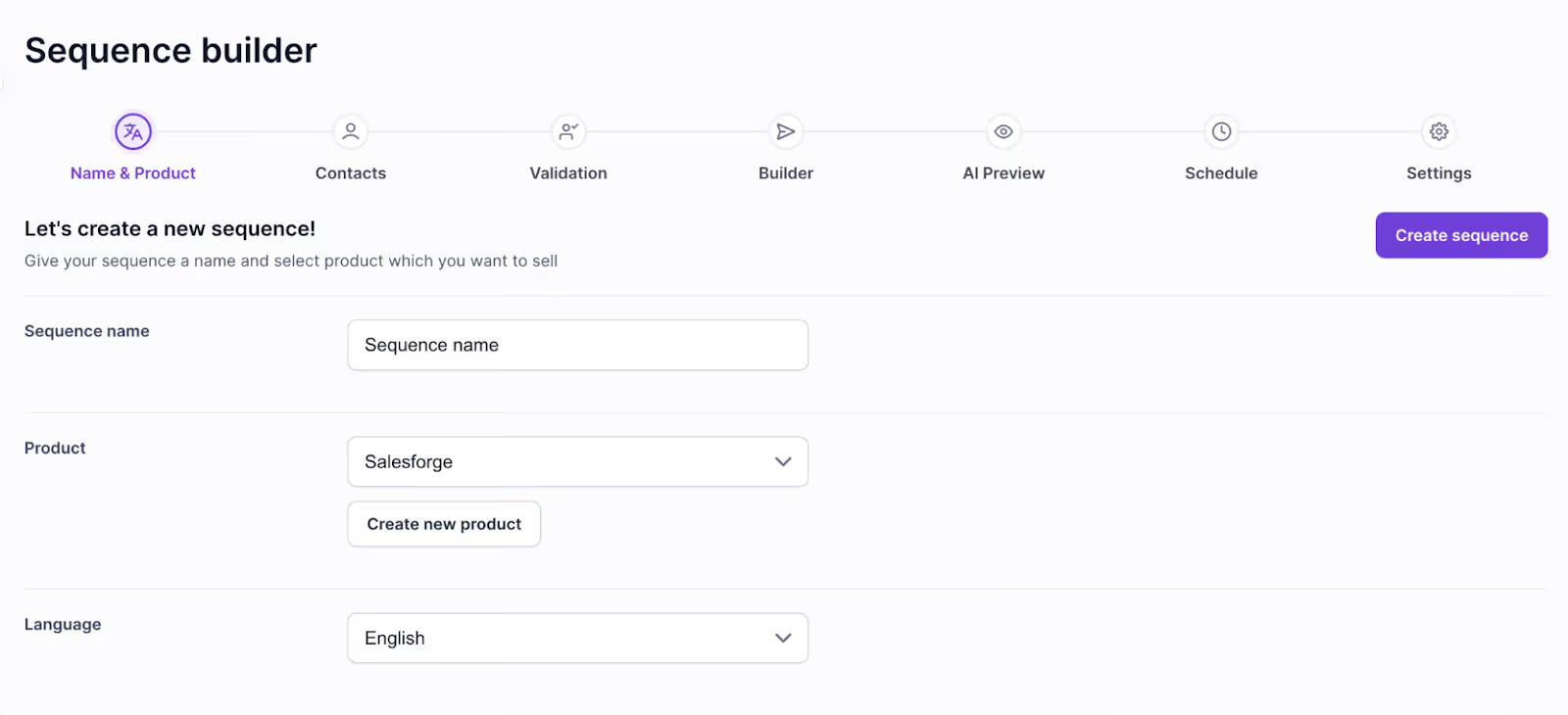
The Salesforge Sequencer makes setting up your outreach simple.
Here’s how it works in plain steps:

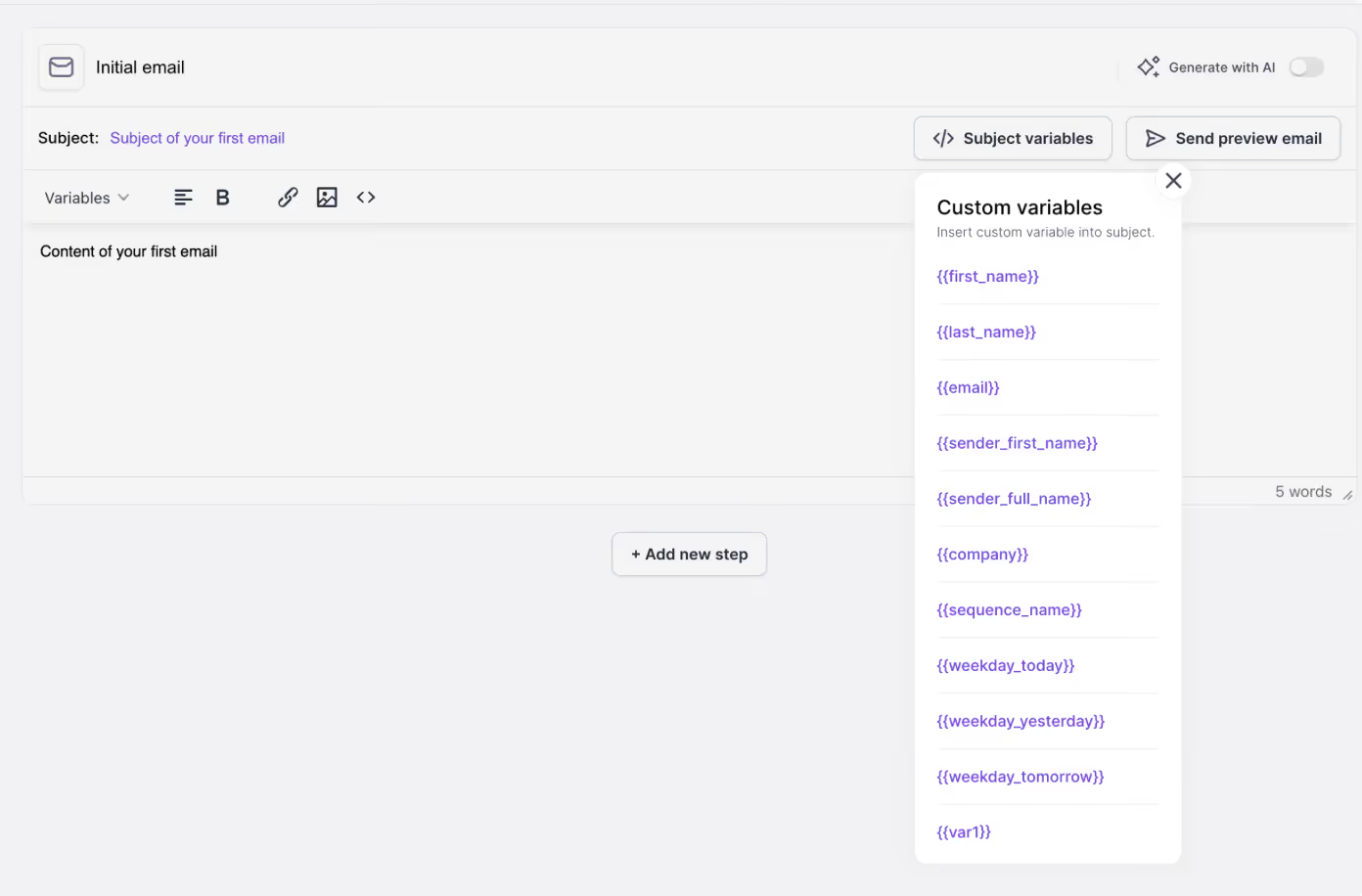
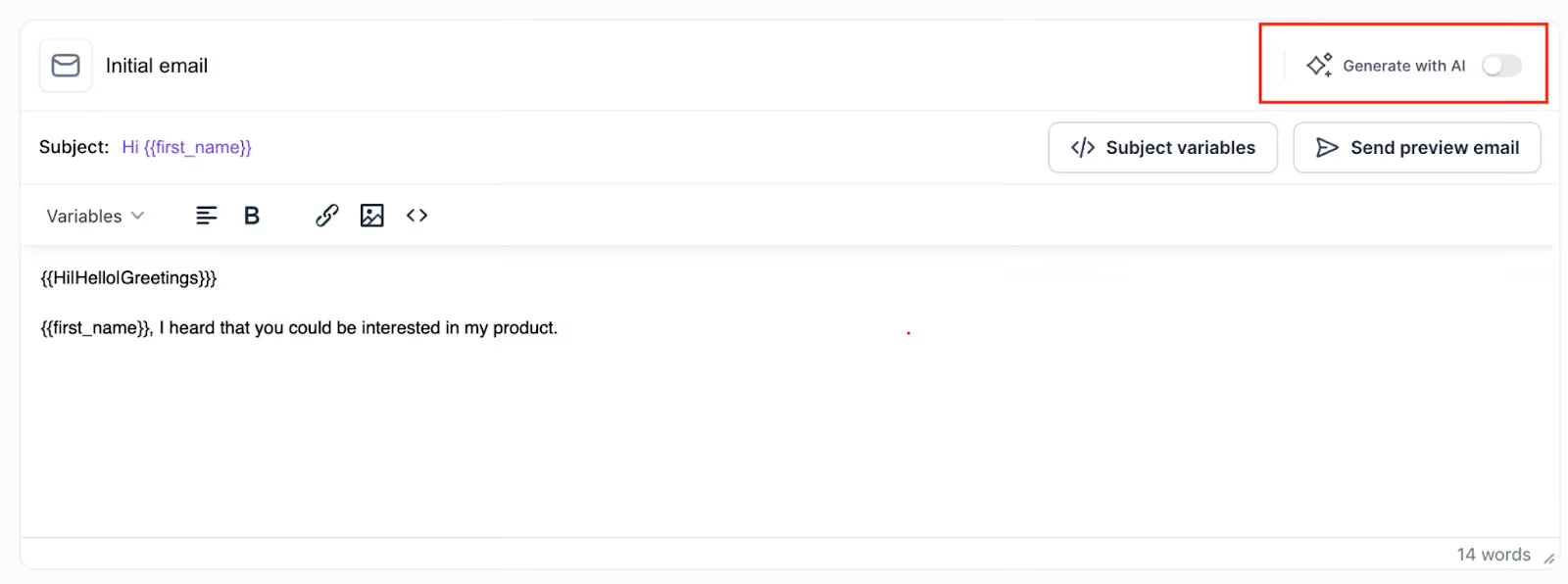
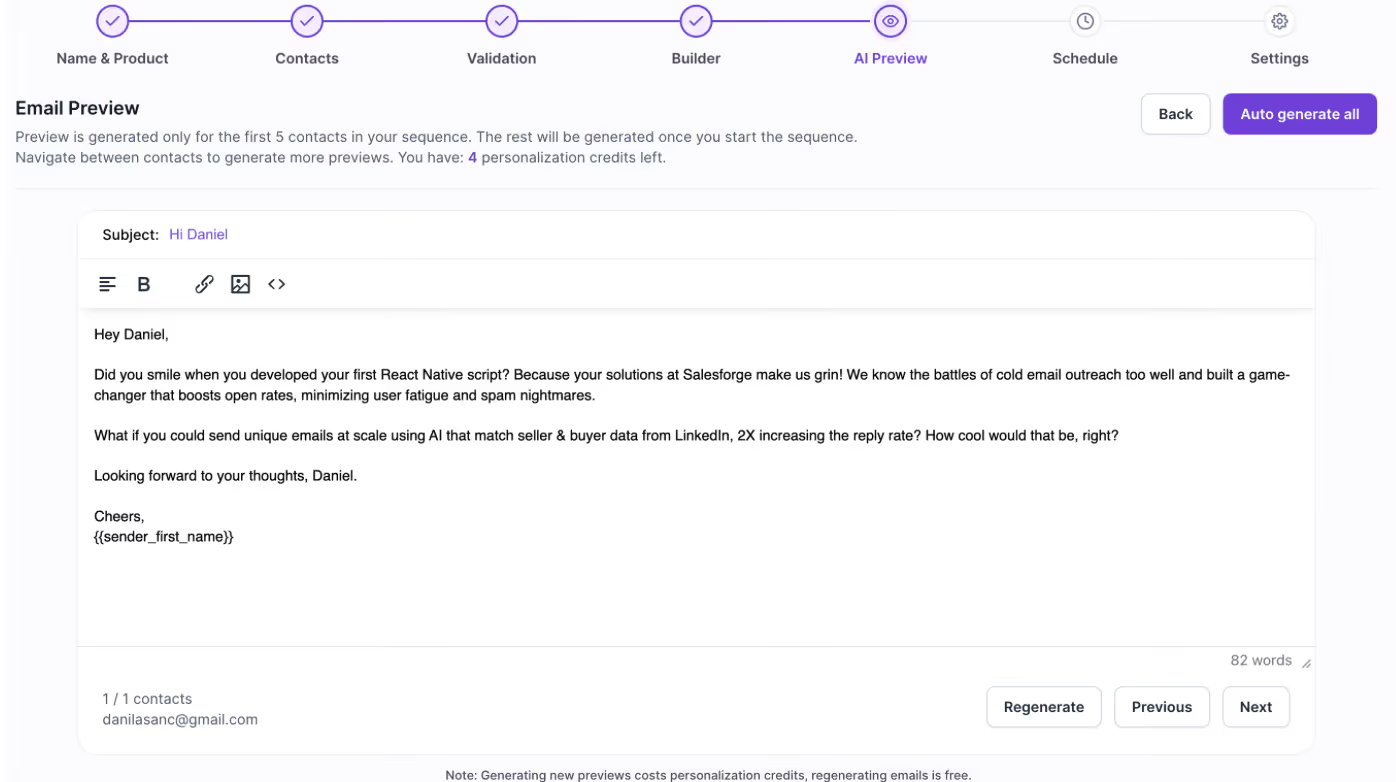
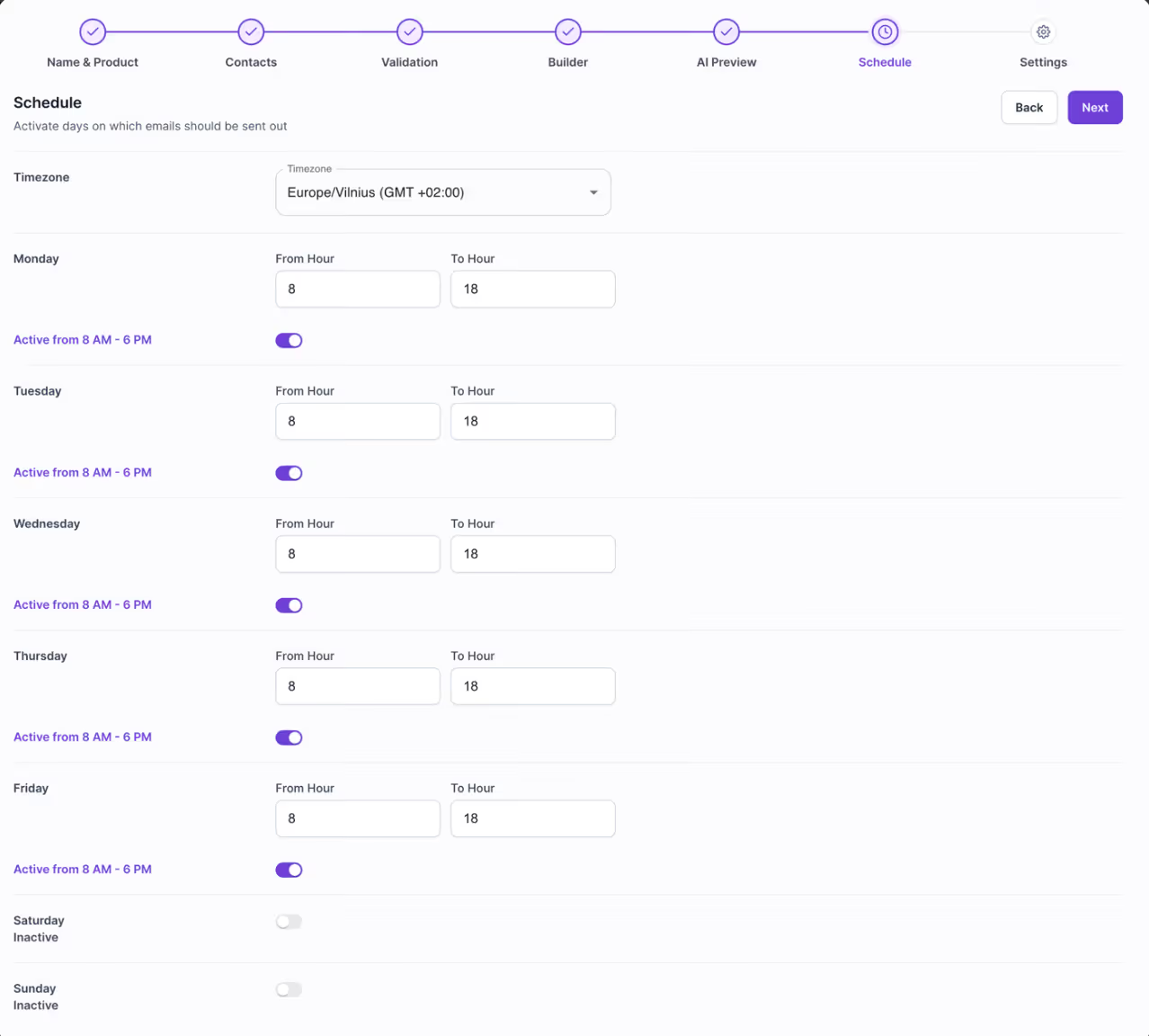

That’s it, a few quick steps, and your outreach runs smoothly without any manual work.
So to sum it up, Clay Sequencer is a new feature for anyone already using Clay.
It helps you pull leads, personalize emails with AI, and run simple, data-driven outreach without leaving the platform.
But if you want to take that same idea a step further, with multi-channel sequences, LinkedIn outreach, and stronger deliverability control, you can check Salesforge.
With Salesforge, you can:
Both tools make outreach smarter, Clay keeps it simple inside your data, while Salesforge helps you scale it across more channels.
If you’re ready to build outreach that actually reaches the inbox and books real meetings, you can try Salesforge free and see how it works in action.

.png)

